Edit common video files like AVI, WMV, MPG, MOV, MP4, FLV, 3GP, MKV, AVCHD, MTS, MOD, TOD, MXF, XAVC, Tivo, PVR files on Windows and Mac
GoPro HD are encoded in MP4 H.264 format. Now although this format has been around for quite some time, a lot of video editors like Windows Movie Maker, Sony Vegas, iMovie , Final Cut Pro etc will not import the MP4 format.
Like many others I was unpleasantly surprised by this, and I did not have a clue where to start, so in all cases like this, I got my help from Google. And finally I found two free applications that can help edit GoPro HD videos on Windows and Mac: MPEG Stramclip and GoPro CineForm Studio.
Preparations:
GoPro HD camera
MPEG Stramclip
Windows Movie Maker
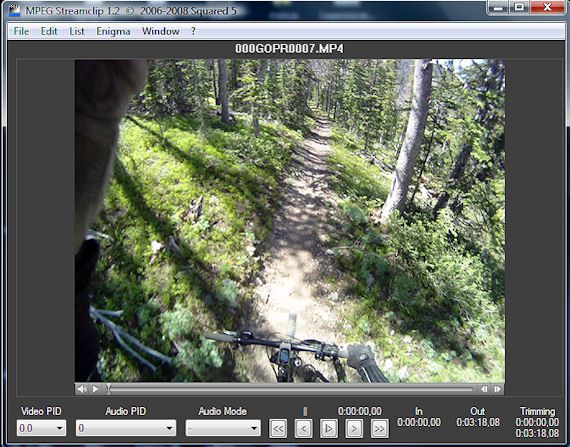
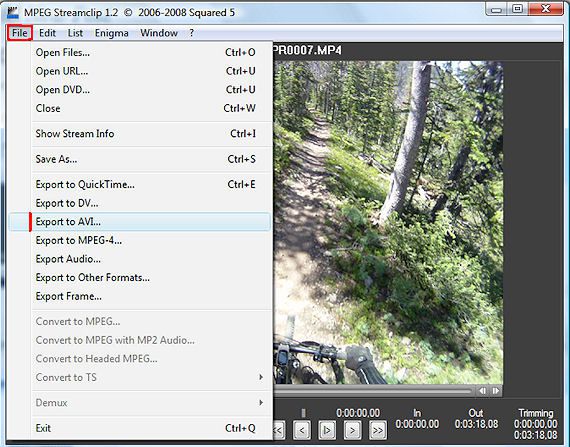
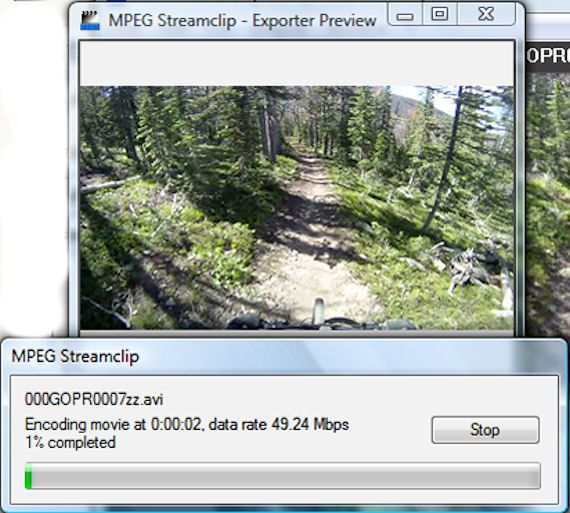
You can use a free video converting program named MPEG Streamclip to convert GoPro HD MP4 movies to AVI for importing to Windows Movie Maker for editing on Windows.
Step 1 : Convert GoPro HD MP4 to AVI
Convert the GoPro HD MP4 to .AVI files using the excellent Free MPEG Streamclip, download at www.squared5.com
Tips: Quicktime is needed to run MPEG Streamclip
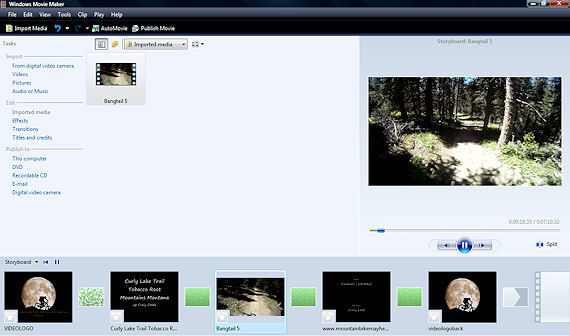
Step 2: Editing .AVI video with Windows Movie Maker
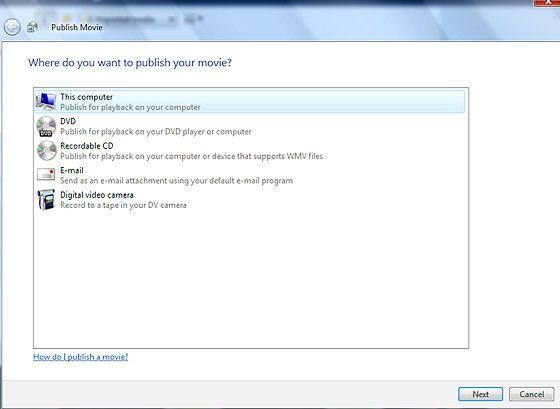
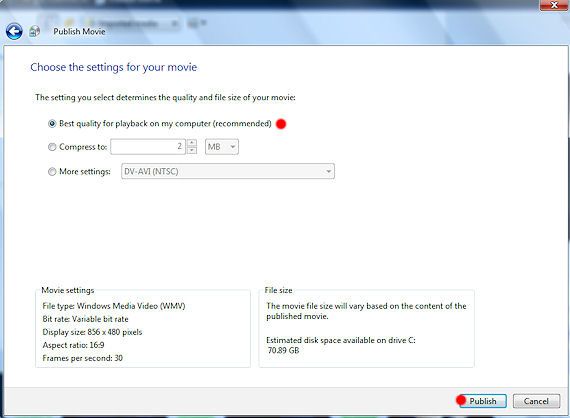
Now your video has been converted to AVI, you can add it to Windows Movie Maker to add some titles, comments and credits.
What you need:
GoPro HD Camera
GoPro CineForm Studio
iMovie
One way used to edit GoPro HD MP4 video on Mac is to use GoPro CineForm Studio to convert GoPro HD MP4 video into editor friendly CineForm MOV files for iMovie, Final Cut Pro on Mac
Step 1: Import GoPro HD MP4 files
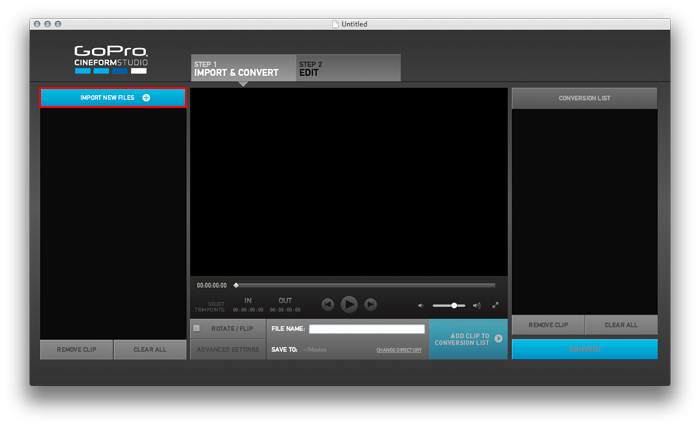
Launch GoPro CineForm Studio and Import GoPro HD MP4 files by using the ‘IMPORT NEW FILES” button in the top left-hand corner of the application window.
Step 2: Select a File Name and Directory Location
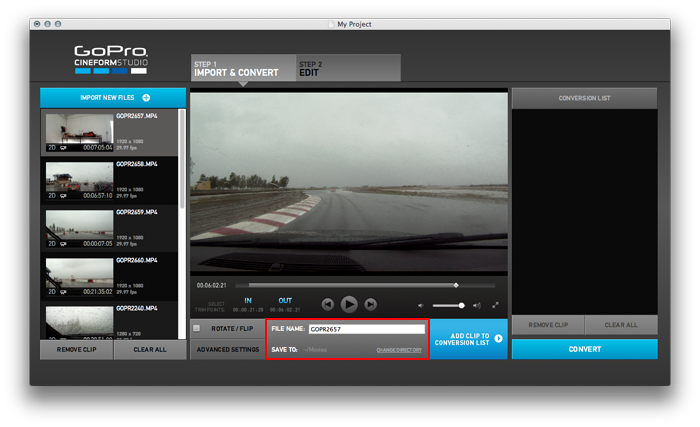
You can specify a name for the converted file in the “File Name” text field. By default, the directory where your clips are stored will be the destination directory, but you can choose a different destination using the “Change Directory” button below the File name text field
Step 3: Convert GoPro HD MP4 files
Click the “ADD CLIP TO CONVERSION LIST” button to send it to the Conversion List Bin.
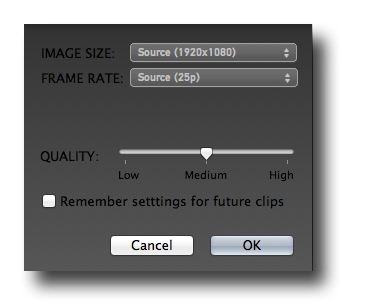
GoPro CineForm files can be wrapped as “MOV” files which would typically be used on a Mac for editing in iMovie, Final Cut Express or Final Cut Pro.
Step 4: Editing MOV files with iMovie
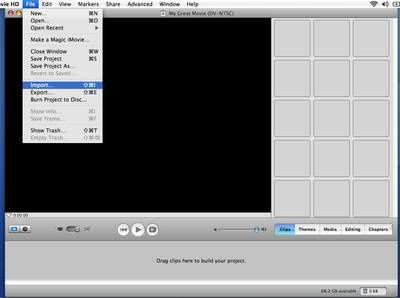
It's easy to import video footage from your computer into iMovie. Go to "File" > "Import", which will open up a window allowing you to browse for your files. Select the files you want to import and click "Open"
Tips: If you need to convert GoPro HD MP4 movies to other popular video files except AVI, MOV, you can turn to more powerful video converter like GoPro MP4 Video Converter or Mac GoPro MP4 Video Converter to help you convert GoPro MP4 movies to whatever format you want on Windows and Mac.


/image%2F0232046%2F20160514%2Fob_41644e_ob-b5ed13-wonderfox-dvd-video-converte.png)
/image%2F0232046%2F20160108%2Fob_85faad_drfoneforios-sc05.jpg)
/image%2F0232046%2F20160106%2Fob_65a006_drfone-android-sc01.jpg)
/image%2F0232046%2F20140927%2Fob_cd00b6_ob-1514ce-ipod-home-mac.jpg)